
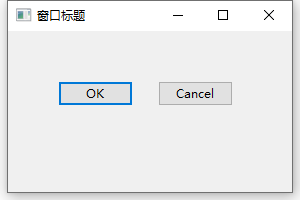
wxPython入门hello world
import wx

class ButtonFrame(wx.Frame):
    def __init__(self):
        wx.Frame.__init__(self, None, -1, '窗口标题', size=(300, 200))
        panel = wx.Panel(self, -1)

        self.btnOk = wx.Button(panel, 1, "OK", pos=(50, 50))
        self.btnCancel = wx.Button(panel, 2, "Cancel", pos=(150, 50))

        self.Bind(wx.EVT_BUTTON, self.OnOk, self.btnOk)
        self.Bind(wx.EVT_BUTTON, self.OnCancel, self.btnCancel)

        self.btnOk.SetDefault()
        self.btnCancel.SetDefault()

    def OnOk(self, event):
        wx.MessageBox("OK","button标题")

    def OnCancel(self, event):
        wx.MessageBox("Cancel")
        self.Close(True)

if __name__ == '__main__':
    app = wx.PySimpleApp()
    frame = ButtonFrame()
    frame.Show()
    app.MainLoop()
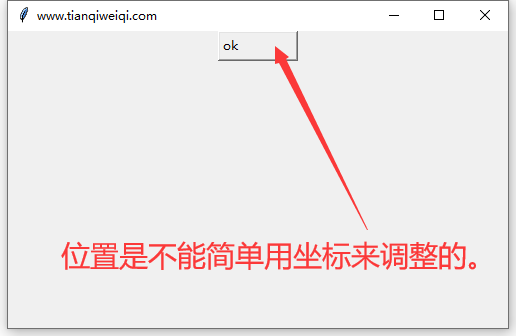
tkinter入门hello world
#!/usr/bin/python
#-*-coding:utf-8 -*-
from tkinter import messagebox
import tkinter as tk
top = tk.Tk()
#这里四个参数分别为:宽、高、左、上
top.geometry("500x300+750+200")
top.title("www.tianqiweiqi.com")
def okCallBack():
    tk.messagebox.askokcancel("title","info")
btnOk = tk.Button(top,
                  width=10,
                  height=1,
                  text='ok',
                  padx=1,
                  pady=1,
                  anchor='w',
                  command = okCallBack)
btnOk.place(x=50,y=10,anchor='w')
btnOk.pack();
top.mainloop();